YouTube Video Thumbnail Preview: 2026 Save Workflow
Use a youtube video thumbnail preview workflow to inspect public cover images, compare HD fallbacks, and save source notes before download. Try it now.
Direct answer
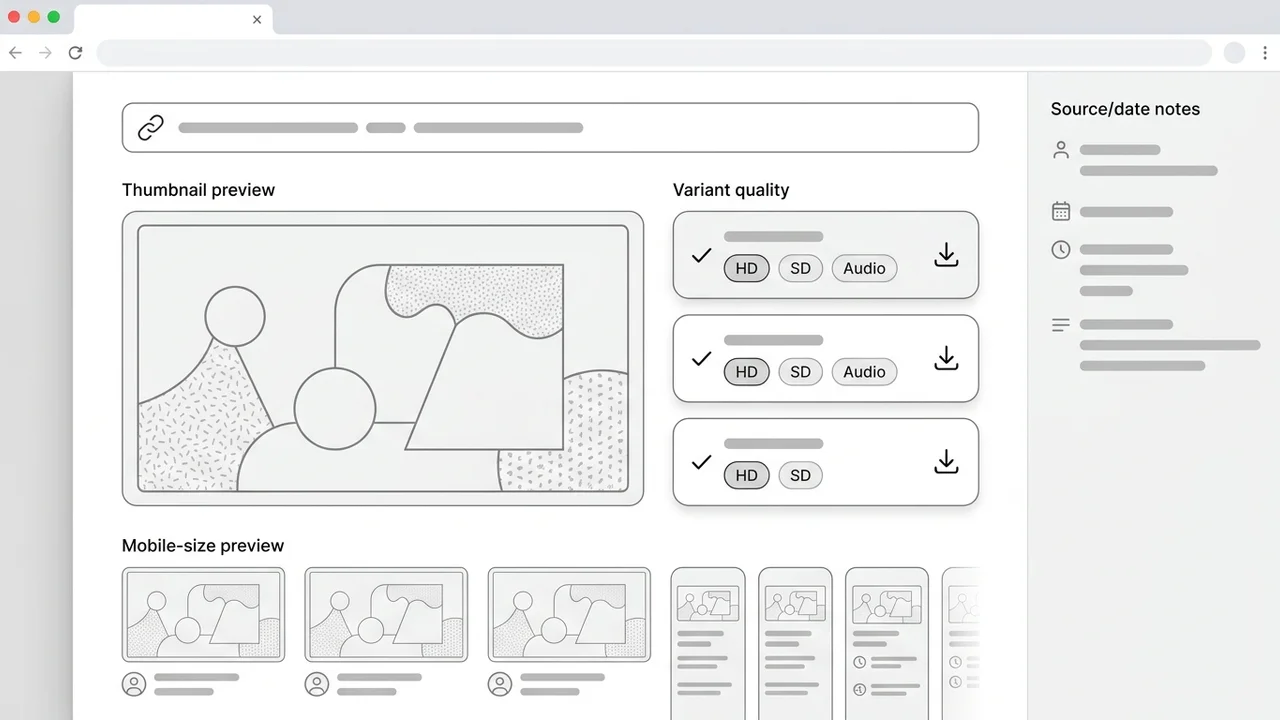
A YouTube video thumbnail preview lets you inspect the public thumbnail image for a video before saving it. The safest workflow is to paste the URL, verify the strongest available variant, preview the image at mobile size, then save the file with the source URL and pull date so creator research stays traceable.
Key takeaways
- Preview the thumbnail before download so you know whether the available public image is sharp enough for your task.
- Check maxresdefault first, but label fallback images honestly when YouTube does not expose a large variant.
- Use a viewer for quick inspection and a finder workflow when you need source notes for audits or client boards.
- Treat downloaded previews as reference material unless you own the asset or have permission to reuse it.
Published: 2026-06-29 Last updated: 2026-06-29 Author: jackyi Reviewed by: YThumbPro editorial review
AI-assisted writing disclosure: this article was drafted with AI assistance and reviewed for accuracy, originality, and YThumbPro product fit by the YThumbPro editorial team.
youtube video thumbnail preview workflows are useful when you need to inspect a public thumbnail before saving it, sharing it with a client, or using it in a creative audit. This guide shows the exact preview-first process I use: extract the video ID, check the largest working variant, inspect mobile clarity, and save the image with enough context to keep the research clean.
A YouTube video thumbnail preview lets you inspect the public thumbnail image for a video before saving it. The safest workflow is to paste the URL, verify the strongest available variant, preview the image at mobile size, then save the file with the source URL and pull date so creator research stays traceable.
YouTube Video Thumbnail Preview: Fast Quality Check
A preview-first workflow prevents a common downloader mistake: saving the first image that loads and assuming it is the best available version. For creator work, the preview step tells you whether the image is sharp enough, whether a larger variant exists, and whether the file needs notes before it enters an audit board.
Use this quick sequence:
- Copy the public YouTube URL or video ID.
- Paste it into YThumbPro or the HD downloader.
- Preview the largest working thumbnail variant first.
- Check the image at both full width and mobile card size.
- Save the file only after recording the source URL, variant, and pull date.
The information-gain step is the source note. Many preview pages stop at "download image." YThumbPro's research workflow treats the thumbnail as evidence, so the saved file should keep a traceable link to the video and the variant that loaded.
YouTube Thumbnail Viewer: Preview Before You Save
A youtube thumbnail viewer is best for quick inspection. It should show the image clearly before download, avoid adding overlays, and make it obvious when the public variant is smaller than expected.
Use this comparison while previewing:
| Preview signal | What to check | Why it matters |
|---|---|---|
| Variant loaded | maxresdefault, sddefault, hqdefault, or fallback | Prevents calling a smaller fallback HD |
| Visible sharpness | Face edges, product details, title text | Shows whether the image is usable for audit work |
| Mobile clarity | Preview at a small card size | Matches how many viewers first see the thumbnail |
| Context saved | URL, pull date, dimensions, use case | Keeps research traceable later |
If the preview looks soft at full width, do not force the workflow. A clean fallback can still support lightweight reference, but it should not become the source of a detailed redesign recommendation.
YouTube Thumbnail Finder Notes for Audits
A youtube thumbnail finder is more useful when the goal is research, not just a one-off download. The finder step identifies the public image URL, the variant that worked, and the context that explains why the file was saved.
For YThumbPro boards, I use four short fields beside each saved preview:
- Source video URL
- Loaded variant or visible dimensions
- Pull date
- Use case, such as competitor audit, refresh brief, or client reference
That structure avoids two problems. Teammates do not mistake a public preview for the creator's original design export, and clients do not assume the file is licensed for reuse. Official YouTube thumbnail guidance focuses on creator-uploaded assets and policy compliance, so downloaded previews should stay in the reference lane unless you own the artwork.
When the Preview Is Not Enough
A thumbnail can load perfectly and still fail as a creative asset. After saving the preview, inspect whether the image communicates the right promise next to competing results.
Use this review checklist:
- Is the main subject clear within two seconds?
- Is any text readable without zooming?
- Does the image match the video title promise?
- Is contrast strong enough for a small mobile card?
- Would a competing thumbnail feel more specific?
If the preview affects a publishing decision, run the saved image through the YouTube Thumbnail Analyzer. For quality-focused download questions, compare this workflow with the thumbnail extractor guide, the thumbnail grabber guide, and the thumbnail size FAQ.
Conclusion
A youtube video thumbnail preview workflow should inspect the public image before download, verify the strongest available variant, and keep source notes with the saved file. Use a viewer for quick visual checks, use a finder workflow for traceable research, and move into AI analysis only when the thumbnail affects a real creator decision.
Ready to test a link? Start with the free downloader, check HD behavior in the HD downloader, or review the saved image with the YouTube Thumbnail Analyzer.
Frequently Asked Questions
Q: How do I preview a YouTube video thumbnail before downloading?
Paste the video URL into a thumbnail preview tool, check the largest working variant, then open the image preview before saving the file.
Q: Is a YouTube video thumbnail preview always HD?
No. Many public videos expose a 1280 x 720 thumbnail, but some only expose smaller fallback variants. Always verify the loaded dimensions before calling it HD.
Q: Can I use a youtube thumbnail viewer without logging in?
Yes. Public thumbnail previews can usually be checked without login because the tool reads public image variants for the video ID.
Q: What should I save with a thumbnail preview?
Save the source URL, variant or dimensions, pull date, and intended use. Those notes make the file useful for audits and prevent confusing it with an original export.
About the Author
jackyi is a YouTube growth and thumbnail optimization practitioner focused on practical creator workflows. YThumbPro articles are written with AI assistance, edited for originality, and reviewed against product behavior before publication.
Next action
Use this guide on a real YouTube thumbnail
Paste a video URL, download the available thumbnail sizes, then decide whether the image needs a deeper AI readiness review.
Step-by-step guide
- 1
Copy the video URL
Use a public YouTube watch URL, Shorts URL, mobile share link, embed URL, or raw 11-character video ID.
- 2
Open the preview workflow
Paste the link into YThumbPro so the page can extract the video ID and check public thumbnail variants.
- 3
Inspect the largest variant
Preview the largest working image first, then compare fallback variants if the image is missing or soft.
- 4
Check mobile clarity
Zoom the preview down to a small card size and verify subject, contrast, text readability, and title match.
- 5
Save with context
Download the clean file and store the source URL, visible dimensions, variant, and pull date beside it.
Frequently asked questions
How do I preview a YouTube video thumbnail before downloading?
Paste the video URL into a thumbnail preview tool, check the largest working variant, then open the image preview before saving the file.
Is a YouTube video thumbnail preview always HD?
No. Many public videos expose a 1280 x 720 thumbnail, but some only expose smaller fallback variants. Always verify the loaded dimensions before calling it HD.
Can I use a youtube thumbnail viewer without logging in?
Yes. Public thumbnail previews can usually be checked without login because the tool reads public image variants for the video ID.
What should I save with a thumbnail preview?
Save the source URL, variant or dimensions, pull date, and intended use. Those notes make the file useful for audits and prevent confusing it with an original export.