YouTube Thumbnail Bulk Download: 2026 Batch Workflow
YouTube thumbnail bulk download workflow for creators with URL intake, batch QA, file naming, source notes, stop rules, and review-ready outputs. Get started.
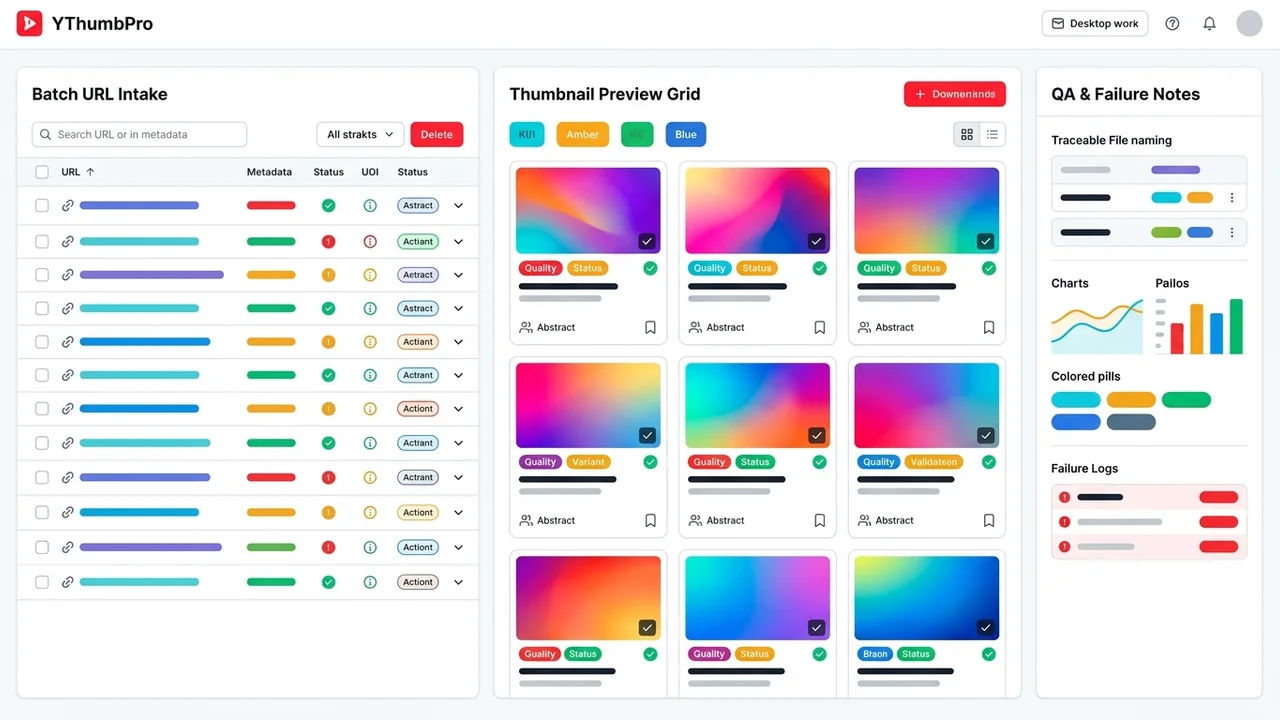
Direct answer
A reliable YouTube thumbnail bulk download workflow starts with a clean list of public video URLs, validates each video ID, checks the largest real thumbnail variant that loads, saves files with traceable names, and logs failures instead of hiding them. The goal is a review-ready batch with source context, not a folder of anonymous images.
Key takeaways
- Start bulk thumbnail jobs from public URLs or video IDs, not vague channel scraping claims.
- Separate intake, variant checks, file naming, failure logs, and review notes into clear batch steps.
- Stop the batch when URLs are private, deleted, malformed, rate-limited, or missing usable variants.
- Use bulk saves for audits and research, then analyze only priority thumbnails that affect a decision.
Published: 2026-07-07 Last updated: 2026-07-07 Author: jackyi Reviewed by: YThumbPro editorial review
AI-assisted writing disclosure: this article was drafted with AI assistance and reviewed for accuracy, originality, and YThumbPro product fit by the YThumbPro editorial team.
youtube thumbnail bulk download work breaks down quickly when the tool only promises "many images" without intake rules, failure logs, or source notes. This guide shows the YThumbPro batch workflow I use for creator audits: prepare a clean URL list, validate every row, check real thumbnail variants, name files for traceability, and stop the batch when the source cannot be trusted.
A reliable YouTube thumbnail bulk download workflow starts with a clean list of public video URLs, validates each video ID, checks the largest real thumbnail variant that loads, saves files with traceable names, and logs failures instead of hiding them. The goal is a review-ready batch with source context, not a folder of anonymous images.
YouTube Thumbnail Bulk Download Intake Checklist
A youtube thumbnail bulk download job should start with a spreadsheet or structured list, not a paste-and-pray box. The useful input is a set of public video URLs, Shorts URLs, playlist rows, campaign rows, or raw video IDs tied to a clear audit question.
Use this intake checklist before saving images:
- Define the batch purpose: owned-channel archive, refresh audit, competitor research, playlist review, or client report.
- Add source group, channel, topic, playlist, campaign, and intended use columns.
- Normalize URLs into video IDs and remove duplicates.
- Mark private, deleted, malformed, or unsupported rows before download.
- Decide how failures will be logged and reviewed.
That last step is where many generic bulk tools fail. A silent failure makes the batch look complete while hiding the rows a reviewer should understand.
Bulk YouTube Thumbnail Download Quality Checks
bulk youtube thumbnail download is only useful when quality labels are honest. Start with the largest public thumbnail variant that actually loads, then accept a fallback only when the larger image fails.
| Batch layer | What to check | Stop rule |
|---|---|---|
| URL intake | Public video URL, Shorts URL, playlist row, or raw ID | Private, deleted, malformed, or duplicate row |
| Variant lookup | Largest real public thumbnail that loads | Fake HD label or empty image response |
| File naming | Source group, video ID, variant, and pull date | Random filename with no source context |
| Failure log | Reason, row number, and next action | Missing failures hidden from the audit |
| Review step | Refresh, archive, competitor, or AI-analysis priority | Unlabeled folder with no decision owner |
In my YThumbPro workflow, a fallback file can still be useful for pattern research. It should not be renamed as max resolution, and it should not be used as a high-detail design source unless the dimensions support it.
YouTube Channel Thumbnail Download vs General Batches
youtube channel thumbnail download is one kind of youtube thumbnail bulk download job. It starts from a channel or channel segment and asks how thumbnails behave across topics, formats, or upload windows.
A general bulk job can be broader. It may combine channel rows, playlist rows, Shorts, competitor examples, client-selected videos, or an export from a planning sheet. The workflow is the same, but the review lens changes.
For channel-level work, use the channel thumbnail download page or the refreshed guide on downloading all thumbnails from a YouTube channel. For playlist-specific sets, use the playlist thumbnail download guide.
File Naming and Batch Notes That Survive Review
Bulk downloads become messy when the image file cannot answer where it came from. Use a simple naming rule before the first file is saved.
A practical pattern is:
sourcegroup-videoid-variant-YYYY-MM-DD.webp
For example, a competitor research row might become competitor-a-a1b2c3d4e5f-maxresdefault-2026-07-02.webp. Pair that with a sheet row that includes title, channel, topic, variant, dimensions, pull date, intended use, reviewer note, and failure status.
This is not paperwork for its own sake. It lets a teammate re-check the same public source later, compare old and new pulls, and separate research references from owned-channel refresh decisions.
When to Move a Batch into Analysis
Do not analyze every saved image just because it exists. After the youtube thumbnail bulk download batch finishes, group rows by what decision they support.
Send images into Competitor Thumbnail Analysis when the question is market pattern research. Send owned-channel candidates into the YouTube Thumbnail Analyzer when mobile readability, contrast, focal clarity, or title-thumbnail promise match affects a publish or refresh decision.
Use the bulk thumbnail tool or YouTube thumbnail API workflow when the same checks need to be repeated. Official YouTube Help, the YouTube Data API videos reference, and Google image SEO guidance are useful source-of-truth references for thumbnail requirements, public metadata, and image context.
Conclusion
A youtube thumbnail bulk download workflow should produce a clean, review-ready batch with validated URLs, honest variants, traceable file names, and visible failure reasons. Start small, log every row, and move only decision-relevant thumbnails into analysis.
Ready to run a structured batch? Open the bulk YouTube thumbnail download tool, use channel thumbnail download, or review quality rules in the YouTube thumbnail downloader checklist.
Frequently Asked Questions
Q: What is the safest way to run a YouTube thumbnail bulk download?
Use a list of public video URLs or video IDs, verify each item, save the largest real public thumbnail variant, and keep source notes for every file. Avoid tools that promise private scraping or hide failed rows.
Q: How many thumbnails should I download in one batch?
Keep the first batch small enough to review, usually one channel segment, playlist, campaign, or competitor set. A useful batch is one you can label, audit, and turn into decisions.
Q: Is bulk youtube thumbnail download different from channel thumbnail download?
Yes. Bulk download is the operational process for many URLs, while channel thumbnail download is one source type. A bulk job may include channel rows, playlists, Shorts, campaigns, or manually selected video IDs.
Q: Can I reuse downloaded thumbnails in my own videos?
Do not reuse another creator's thumbnail artwork without permission. Bulk downloads are useful for research, audits, archives, and original redesign briefs, not copying protected assets.
About the Author
jackyi is a YouTube growth and thumbnail optimization practitioner focused on practical creator workflows. YThumbPro articles are written with AI assistance, edited for originality, and reviewed against product behavior before publication.
Next action
Use this guide on a real YouTube thumbnail
Paste a video URL, download the available thumbnail sizes, then decide whether the image needs a deeper AI readiness review.
Step-by-step guide
- 1
Build the intake list
Collect public video URLs or 11-character video IDs with channel, topic, campaign, playlist, and intended use columns.
- 2
Validate every row
Normalize URL formats, remove duplicates, and mark private, deleted, malformed, or unsupported rows before saving files.
- 3
Check real thumbnail variants
Try the largest public image first, then save the best fallback only when the higher-quality variant fails.
- 4
Name files for traceability
Use a consistent pattern with source group, video ID, variant, and pull date so the image can be audited later.
- 5
Review priority thumbnails
Move only decision-relevant images into competitor analysis, refresh review, or AI thumbnail scoring workflows.
Frequently asked questions
What is the safest way to run a YouTube thumbnail bulk download?
Use a list of public video URLs or video IDs, verify each item, save the largest real public thumbnail variant, and keep source notes for every file. Avoid tools that promise private scraping or hide failed rows.
How many thumbnails should I download in one batch?
Keep the first batch small enough to review, usually one channel segment, playlist, campaign, or competitor set. A useful batch is one you can label, audit, and turn into decisions.
Is bulk youtube thumbnail download different from channel thumbnail download?
Yes. Bulk download is the operational process for many URLs, while channel thumbnail download is one source type. A bulk job may include channel rows, playlists, Shorts, campaigns, or manually selected video IDs.
Can I reuse downloaded thumbnails in my own videos?
Do not reuse another creator's thumbnail artwork without permission. Bulk downloads are useful for research, audits, archives, and original redesign briefs, not copying protected assets.