YouTube Playlist Thumbnail Download: Full Batch Guide
YouTube playlist thumbnail download guide for public playlists, video order, variant checks, file names, source notes, and review-ready boards.
Direct answer
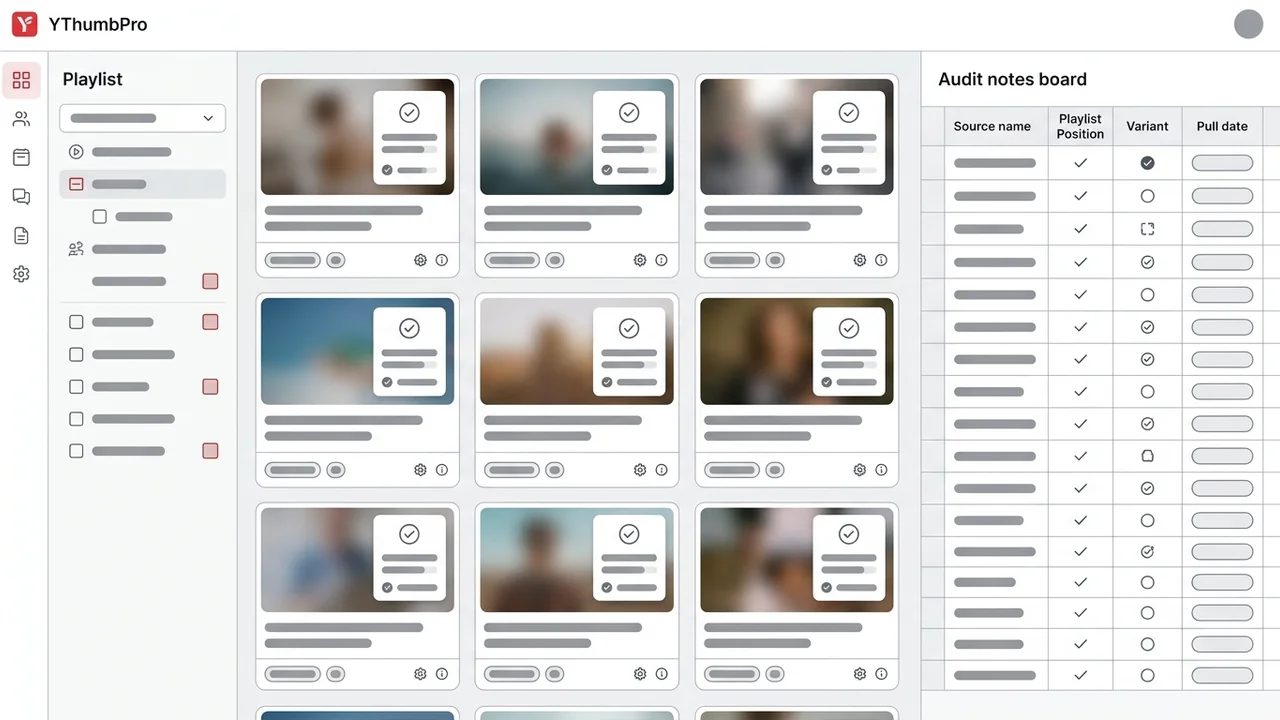
A YouTube playlist thumbnail download batch should preserve playlist order, public video URL, thumbnail variant, file name, pull date, and review intent for every row. The safest workflow is to collect visible public videos, verify which thumbnail variant actually loads, save the best available image with traceable names, and mark hidden, deleted, or low-resolution rows instead of pretending the playlist exported cleanly.
Key takeaways
- Treat playlist order as metadata, because sequence problems are often the reason a playlist audit matters.
- Verify public thumbnail variants per video instead of assuming every playlist item has max-resolution artwork.
- Use traceable file names and source notes so exported images survive team review.
- Separate owned-playlist refresh work from competitor research, archive, and redesign briefs.
Published: 2026-07-02 Last updated: 2026-07-07 Author: jackyi Reviewed by: YThumbPro editorial review
AI-assisted writing disclosure: this article was drafted with AI assistance and reviewed for accuracy, originality, and YThumbPro product fit by the YThumbPro editorial team.
youtube playlist thumbnail download projects look simple until the files lose order, source context, and review purpose. A playlist can mix tutorials, campaign videos, Shorts, livestreams, and older uploads from different channels. This refreshed YThumbPro guide shows the batch method I use for playlist audits: preserve sequence order, collect public video rows, verify real thumbnail variants, save traceable file names, and move only decision-relevant images into review.
A YouTube playlist thumbnail download batch should preserve playlist order, public video URL, thumbnail variant, file name, pull date, and review intent for every row. The safest workflow is to collect visible public videos, verify which thumbnail variant actually loads, save the best available image with traceable names, and mark hidden, deleted, or low-resolution rows instead of pretending the playlist exported cleanly.
YouTube Playlist Thumbnail Download Batch Workflow
A YouTube playlist thumbnail download should start with the question the playlist is supposed to answer. Are you auditing a course sequence, checking a competitor's playlist packaging, refreshing an old launch campaign, or archiving your own uploads?
That scope changes what you save. A course audit may care about sequence clarity. A competitor playlist review may care about repeated visual patterns. A creator archive may care about source date, upload order, and the highest public thumbnail variant that still loads.
I use a five-column minimum before the first image is downloaded:
- Playlist URL and playlist name.
- Public video URL or 11-character video ID.
- Playlist position and topic label.
- Thumbnail variant and dimensions that actually loaded.
- Intended use: archive, owned refresh, competitor research, or redesign brief.
Use this quick intake checklist before downloading anything:
| Field | Record this | Why it matters |
|---|---|---|
| Playlist URL | The public playlist link | Keeps the batch tied to one source |
| Video URL | The public watch, Shorts, or raw ID input | Lets you re-check the thumbnail later |
| Playlist position | Row number or sequence order | Helps compare thumbnail flow |
| Topic label | Tutorial, review, case study, launch, or other theme | Makes pattern analysis faster |
| Intended use | Archive, audit, redesign, competitor research, or brief | Prevents random reuse |
In my experience, the best playlist thumbnail boards are smaller than expected. They include enough rows to see patterns, but they do not pretend every public playlist needs a massive scrape.
YouTube Channel Thumbnail Download vs Playlist Batches
youtube channel thumbnail download usually answers a broad question: "What does this channel's packaging look like across many uploads?" A playlist batch is narrower. It asks how curated videos work together.
That difference matters because playlist thumbnails often need sequence analysis. You may want to know whether the first three videos promise the same outcome, whether text size stays readable on mobile, or whether the playlist loses visual consistency halfway through.
For channel-wide work, start with the channel thumbnail download page or the YouTube channel thumbnail download guide. For a playlist, keep the board tied to one playlist URL and one decision.
Bulk YouTube Thumbnail Download Source Notes
bulk youtube thumbnail download workflows fail when the download step happens before the notes. The image file alone cannot tell you which playlist it came from, what variant loaded, or whether it was collected for audit, archive, or redesign.
Before saving files, create columns for:
- Playlist name and playlist URL
- Video title and public video URL
- Playlist position or topic group
- Thumbnail variant checked
- Dimensions returned by the public image
- Pull date and reviewer notes
- Intended use and next action
Then use YThumbPro bulk thumbnail tools or the YouTube thumbnail API workflow to check public variants. If a max-resolution file does not load, label the smaller fallback honestly instead of renaming it as HD.
For a wider batch that mixes playlists, channels, and hand-picked URLs, use the separate YouTube thumbnail bulk download guide. This article stays focused on playlist sequence and source preservation.
Quality Checks for Playlist Thumbnail Boards
A playlist thumbnail board should make problems visible. If every file is saved without labels, you cannot tell which images deserve design review.
I use this simple quality pass after each YouTube playlist thumbnail download batch:
- Confirm every row has a public video URL.
- Mark the largest thumbnail variant that actually loaded.
- Flag missing or low-resolution thumbnails.
- Scan the sequence for repeated colors, text length, faces, and promise clarity.
- Move only priority items into AI analysis or redesign notes.
This is where Competitor Thumbnail Analysis and the thumbnail CTR checker become useful. The download gives you source material; analysis turns the source material into a decision.
YouTube Playlist Thumbnail Download Review Cadence
For recurring YouTube playlist thumbnail download audits, keep the cadence tied to a publishing or refresh decision. A launch playlist may need a full pass before release, while an evergreen tutorial sequence may only need a quarterly check for outdated thumbnails, missing high-resolution variants, or inconsistent promise language.
The cleanest cadence is simple: collect the playlist thumbnails, mark the rows that changed, compare the new images against the prior board, and review only the thumbnails that affect click-through, sequence clarity, or archive quality. That keeps bulk collection from becoming busywork.
Playlist Thumbnail Research Ethics
A YouTube playlist thumbnail download can support legitimate research, but it should not become asset copying. Save public thumbnails for reference, internal audits, creator archives, or packaging analysis.
Do not reuse another creator's artwork, face, logo, layout, or brand system as your own. If the playlist is not yours, treat the board as a research artifact. When the playlist is yours, keep the original URLs and pull dates so future editors can understand where each thumbnail came from.
For official context, YouTube documents custom thumbnail requirements in YouTube Help, Google explains why image context matters in Google Search Central image SEO best practices, and YouTube documents playlist management in YouTube Help.
Frequently Asked Questions
Q: Can I download thumbnails from a YouTube playlist? A: Yes, you can collect thumbnails from public playlist videos. YThumbPro focuses on public video URLs and public thumbnail variants, so it does not claim private playlist access, hidden rows, or protected asset scraping.
Q: What is the best way to bulk download thumbnails from a playlist? A: Build a playlist URL list first, preserve the video order, and check thumbnail variants per video. Save each image with playlist name, video URL, variant, dimensions, pull date, and intended use so the batch stays useful later.
Q: Is youtube channel thumbnail download different from playlist collection? A: A channel workflow usually starts with many uploads across topics. A playlist workflow is narrower because each thumbnail belongs to one curated sequence, campaign, course, or topic cluster.
Q: Can I reuse thumbnails downloaded from another playlist? A: Use downloaded thumbnails for research, audits, internal briefs, or reference boards. Do not reuse another creator's artwork, face, branding, layout, or protected assets as your own thumbnail.
Conclusion
A youtube playlist thumbnail download workflow works best when the files stay connected to the playlist, source video, order, variant, and decision. Start with public URLs, verify real thumbnail sizes, save clear notes, and use AI review only where the playlist audit needs a judgment.
Ready to organize a playlist board? Start with YThumbPro bulk thumbnail tools, compare broader channel thumbnail workflows, or review your best candidates with the YouTube thumbnail analyzer.
About the Author
jackyi is a YouTube growth and thumbnail optimization practitioner focused on practical creator workflows. YThumbPro articles are written with AI assistance, edited for originality, and reviewed against product behavior before publication.
Next action
Use this guide on a real YouTube thumbnail
Paste a video URL, download the available thumbnail sizes, then decide whether the image needs a deeper AI readiness review.
Step-by-step guide
- 1
Map the playlist scope
Decide whether the batch supports a course sequence, competitor comparison, campaign refresh, archive, or redesign brief.
- 2
Collect public video rows
Record each visible video URL with title, channel, playlist position, topic, and intended review use.
- 3
Check thumbnail variants
Paste the URLs into YThumbPro or a bulk workflow and verify which public thumbnail size actually loads for each row.
- 4
Save files with source notes
Use consistent filenames and store playlist name, video URL, order, variant, dimensions, pull date, and intended use.
- 5
Prioritize review
Move only high-value thumbnails into AI analysis, redesign briefs, or competitor pattern reviews.
Frequently asked questions
Can I download thumbnails from a YouTube playlist?
Yes, you can collect thumbnails from public playlist videos. YThumbPro focuses on public video URLs and public thumbnail variants, so it does not claim private playlist access, hidden rows, or protected asset scraping.
What is the best way to bulk download thumbnails from a playlist?
Build a playlist URL list first, preserve the video order, and check thumbnail variants per video. Save each image with playlist name, video URL, variant, dimensions, pull date, and intended use so the batch stays useful later.
Is youtube channel thumbnail download different from playlist collection?
A channel workflow usually starts with many uploads across topics. A playlist workflow is narrower because each thumbnail belongs to one curated sequence, campaign, course, or topic cluster.
Can I reuse thumbnails downloaded from another playlist?
Use downloaded thumbnails for research, audits, internal briefs, or reference boards. Do not reuse another creator's artwork, face, branding, layout, or protected assets as your own thumbnail.