Convert YouTube Thumbnail to Image: 2026 Format Guide
Convert YouTube thumbnail to image files safely: choose PNG, JPG, or WebP, preserve source quality, keep clean creator archives, and start now.
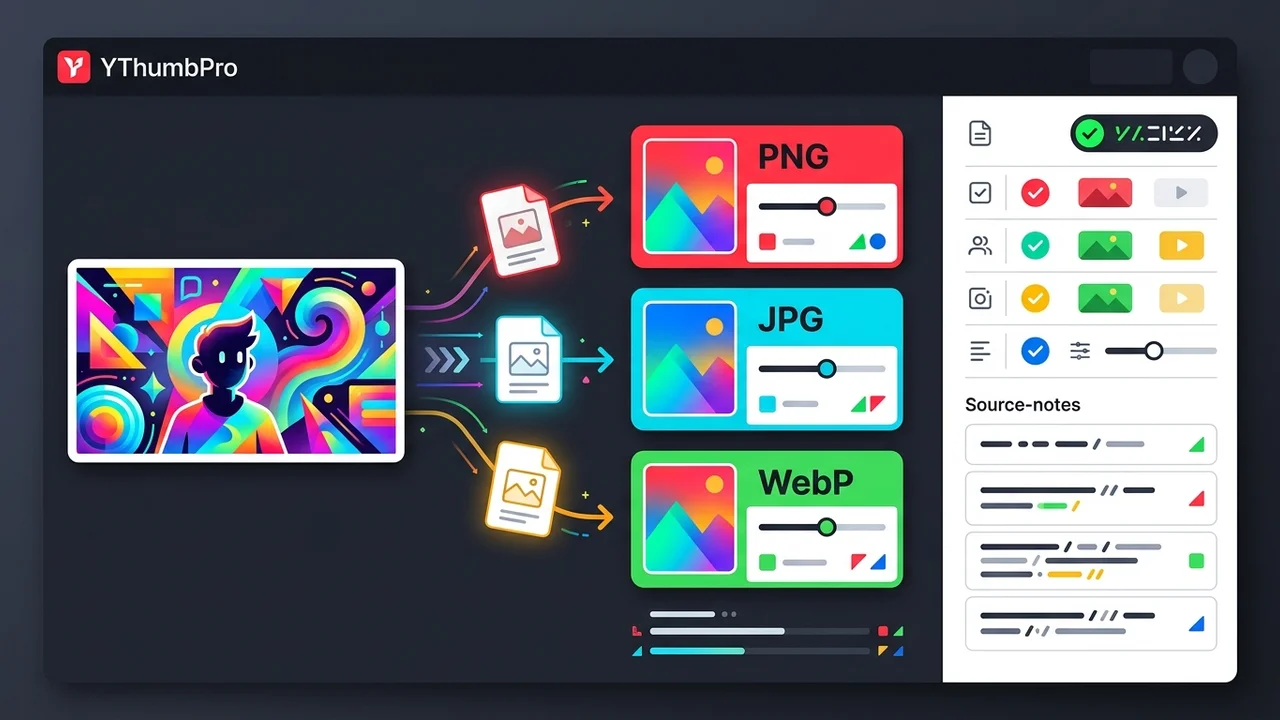
Direct answer
To convert a YouTube thumbnail to image format, first download the largest real public thumbnail variant, then export a copy as PNG, JPG, or WebP based on the next use case. PNG is best for editing and design handoff, JPG is best for broad sharing, and WebP is best for compact web delivery. Keep the original video URL, dimensions, source format, and conversion date with the converted file.
Key takeaways
- Download the best public thumbnail first; format conversion cannot restore missing source detail.
- Use PNG for editing, JPG for sharing, and WebP for fast web delivery.
- Keep source notes with every converted thumbnail so the file remains traceable.
- Check dimensions, crop, color, and compression before using converted files in creator work.
Published: 2026-07-08 Last updated: 2026-07-08 Author: jackyi Reviewed by: YThumbPro editorial review
AI-assisted writing disclosure: this article was drafted with AI assistance and reviewed for accuracy, originality, and YThumbPro product fit by the YThumbPro editorial team.
convert youtube thumbnail to image searches usually come from a creator, editor, or marketer who already has a video URL and needs a clean file now. This guide gives the exact workflow I use for YThumbPro content audits: download the best real public thumbnail, pick the right output format, verify the converted file, and keep source notes so the image stays useful later.
To convert a YouTube thumbnail to image format, first download the largest real public thumbnail variant, then export a copy as PNG, JPG, or WebP based on the next use case. PNG is best for editing and design handoff, JPG is best for broad sharing, and WebP is best for compact web delivery. Keep the original video URL, dimensions, source format, and conversion date with the converted file.
In practice, convert youtube thumbnail to image should mean a traceable workflow, not a quick rename. The goal is to create a useful image copy while preserving enough context to prove where the file came from.
Convert YouTube Thumbnail to Image Workflow
A convert youtube thumbnail to image workflow starts before conversion. If the downloaded source is small, cropped, or compressed, changing the extension will not make it sharper.
Use this sequence:
- Copy the public YouTube video or Shorts URL.
- Paste it into YThumbPro or the HD thumbnail downloader.
- Save the largest real public thumbnail variant that loads.
- Choose PNG, JPG, or WebP based on the next job.
- Convert a copy, then keep the original beside it.
That last step is important. A converted thumbnail is a derivative file, so the original download and URL are still the source of truth for audits, client notes, and future edits.
When a teammate asks you to convert youtube thumbnail to image for a brief, send both the converted file and the source notes. That keeps the asset useful beyond the first export.
YouTube Thumbnail to PNG vs JPG vs WebP
youtube thumbnail to PNG is the right choice when the image will move through editing, annotation, or a design review. PNG keeps repeated edits cleaner than JPG, and it is a predictable handoff format for overlays, masks, and crop notes.
| Output format | Best use | Main tradeoff |
|---|---|---|
| PNG | Editing, design handoff, annotated reviews, archives | Larger files and no automatic quality upgrade |
| JPG | Reports, messages, spreadsheets, quick sharing | Lossy compression after repeated exports |
| WebP | Web pages, compact previews, internal galleries | Some older workflows still ask for PNG or JPG |
If the format decision is the whole task, use the dedicated YouTube thumbnail to PNG guide or compare tradeoffs in PNG vs JPG vs WebP for YouTube thumbnails.
The safest convert youtube thumbnail to image decision is the one tied to the next action. Editing, sharing, and web delivery each need a different output, so write that purpose before you export.
YouTube Thumbnail to JPG Quality Checks
youtube thumbnail to JPG works well when the converted image needs to travel quickly. It is the practical choice for decks, email, notes, content calendars, and lightweight reports.
The risk is repeated compression. If you open, edit, save, and resend JPG files many times, text edges and color gradients can degrade. Keep one original source file, then create a fresh JPG when sharing is the goal.
Before approving a JPG conversion, check:
- Final pixel dimensions
- Crop and aspect ratio
- Text sharpness at mobile size
- Color shifts in bright red, cyan, amber, green, and blue areas
- File size against the place where it will be uploaded
For simple delivery, start with JPG thumbnail download. For edit-heavy work, keep PNG as the working copy and export JPG only at the end.
If you convert youtube thumbnail to image for a campaign spreadsheet, JPG usually makes sense. If the same file goes to a designer, send PNG plus the original source.
Source Notes for Converted Thumbnail Images
The best format workflow can still fail if nobody knows where the image came from. Source notes turn a random file into a traceable creator asset.
Any time you convert youtube thumbnail to image for a shared folder, source notes are what keep the asset from becoming a mystery file.
For each converted image, record:
- Public video URL or video ID
- Pull date and conversion date
- Original source format and output format
- Original dimensions and final dimensions
- Intended use: edit, archive, report, competitor reference, or web preview
This matters most for teams. A designer may need the PNG, a marketer may need the JPG, and an SEO reviewer may need the original URL. Keeping the context together prevents rework.
Safe Conversion on Desktop and Mobile
On desktop, the clean path is to download the thumbnail, convert a copy in your editor, and verify the output. On mobile, use the mobile thumbnail download workflow first, then save to Files or a cloud folder before converting.
Do not assume conversion creates permission to reuse another creator's artwork. Use converted thumbnails for your own channel assets, client workflows, editorial notes, and internal research. Competitor thumbnails should stay as reference material unless you have rights to reuse them.
Official context helps. YouTube documents thumbnail requirements in YouTube Help, Google explains image context in Search Central image SEO best practices, and MDN compares image formats in its image file type guide.
Conclusion
A convert youtube thumbnail to image workflow should protect quality and context at the same time. Save the best public source thumbnail, choose PNG, JPG, or WebP for the actual job, verify the file, and keep the original URL beside the converted image.
Ready to convert with less guesswork? Start with PNG thumbnail download, compare JPG thumbnail download, or run the result through the YouTube Thumbnail Analyzer.
Frequently Asked Questions
Q: Can I convert a YouTube thumbnail to image format?
Yes. Download the public thumbnail first, then export or convert that file to PNG, JPG, or WebP. The conversion changes the container format, not the original source quality.
Q: Is youtube thumbnail to PNG better than JPG?
PNG is better for editing, annotation, and design handoff because it avoids extra lossy compression. JPG is usually better for quick sharing because the file is smaller and widely supported.
Q: When should I use youtube thumbnail to JPG?
Use JPG when you need a lightweight file for reports, messages, spreadsheets, or broad compatibility. Avoid repeated JPG exports if the thumbnail will keep moving through edits.
Q: Does converting a thumbnail image improve quality?
No. Conversion can preserve or compress the downloaded file, but it cannot add detail that was not present in the public thumbnail variant you saved.
About the Author
jackyi is a YouTube growth and thumbnail optimization practitioner focused on practical creator workflows. YThumbPro articles are written with AI assistance, edited for originality, and reviewed against product behavior before publication.
Next action
Use this guide on a real YouTube thumbnail
Paste a video URL, download the available thumbnail sizes, then decide whether the image needs a deeper AI readiness review.
Step-by-step guide
- 1
Download the source thumbnail
Paste the public video URL into YThumbPro and save the largest real thumbnail variant that loads.
- 2
Choose the output format
Pick PNG for editing, JPG for sharing, or WebP for compact web delivery based on the next workflow step.
- 3
Convert the saved image
Use your design tool, browser workflow, or trusted converter to export the saved thumbnail into the chosen image format.
- 4
Verify the converted file
Open the output and check dimensions, crop, text sharpness, color shift, and compression artifacts.
- 5
Save source context
Store the source URL, video ID, original format, output format, dimensions, and conversion date with the image.
Frequently asked questions
Can I convert a YouTube thumbnail to image format?
Yes. Download the public thumbnail first, then export or convert that file to PNG, JPG, or WebP. The conversion changes the container format, not the original source quality.
Is youtube thumbnail to PNG better than JPG?
PNG is better for editing, annotation, and design handoff because it avoids extra lossy compression. JPG is usually better for quick sharing because the file is smaller and widely supported.
When should I use youtube thumbnail to JPG?
Use JPG when you need a lightweight file for reports, messages, spreadsheets, or broad compatibility. Avoid repeated JPG exports if the thumbnail will keep moving through edits.
Does converting a thumbnail image improve quality?
No. Conversion can preserve or compress the downloaded file, but it cannot add detail that was not present in the public thumbnail variant you saved.