YouTube Thumbnail 1080p Download: Honest HD Guide
Use a youtube thumbnail 1080p download workflow that checks real HD variants, avoids fake upscales, and saves the cleanest file.
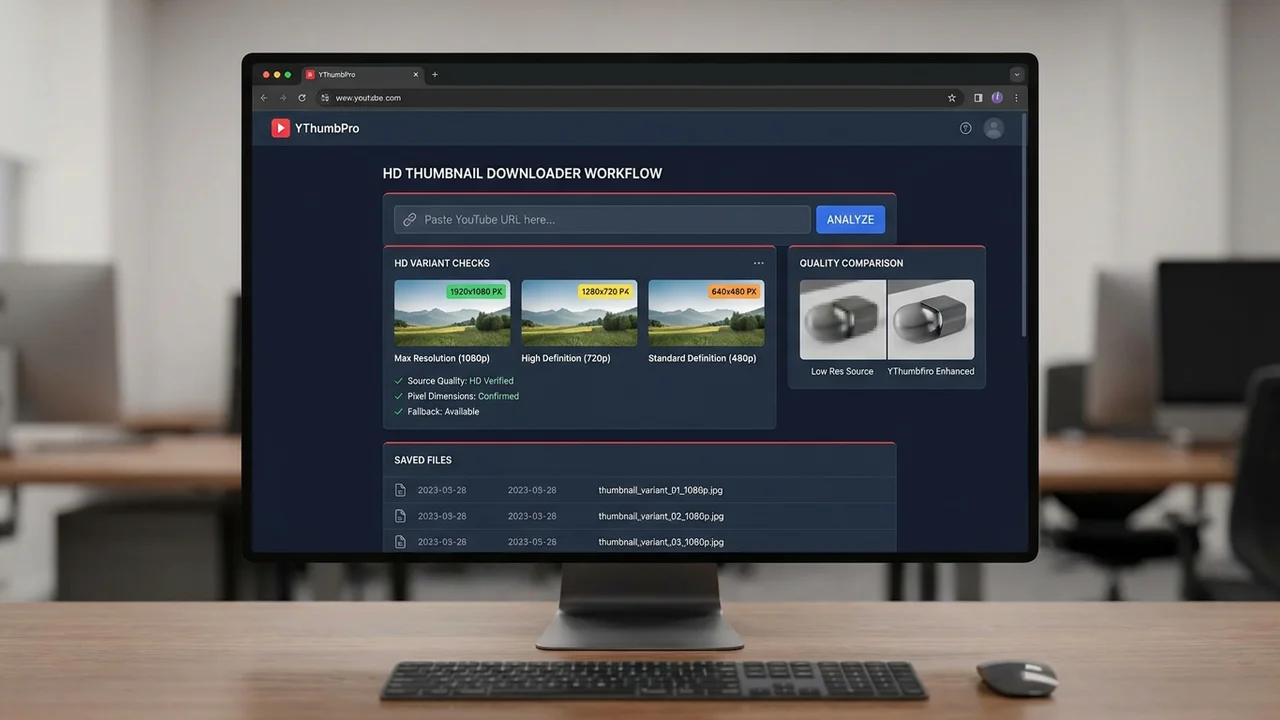
Direct answer
A youtube thumbnail 1080p download should mean checking the real public HD thumbnail variants YouTube exposes, then saving the cleanest available file without pretending every video has a true 1920 x 1080 source. YThumbPro starts with the largest working public image, reports fallbacks clearly, and keeps quality claims tied to the actual file.
Key takeaways
- Treat 1080p as HD-quality intent, then verify the actual public thumbnail dimensions.
- Start with the largest available variant and avoid labeling smaller fallbacks as true 1080p.
- Use the saved thumbnail for audits, briefs, and analysis, but request the creator export for production design work.
- Run AI thumbnail review when the HD image affects CTR, refresh planning, or client recommendations.
Published: 2026-06-22 Last updated: 2026-06-22 Author: jackyi Reviewed by: YThumbPro editorial review
AI-assisted writing disclosure: this article was drafted with AI assistance and reviewed for accuracy, originality, and YThumbPro product fit by the YThumbPro editorial team.
youtube thumbnail 1080p download searches usually come from a practical need: you want the cleanest HD thumbnail image from a YouTube video without guessing file names or installing software. This guide shows the honest workflow I use in YThumbPro: check the largest public variant, record the real pixel size, avoid fake upscales, and decide when the saved image is good enough for research or analysis.
A youtube thumbnail 1080p download should mean checking the real public HD thumbnail variants YouTube exposes, then saving the cleanest available file without pretending every video has a true 1920 x 1080 source. YThumbPro starts with the largest working public image, reports fallbacks clearly, and keeps quality claims tied to the actual file.
YouTube Thumbnail 1080p Download: What Is Real
The most important detail is simple: YouTube does not expose the same thumbnail sizes for every video. Some videos return a large clean public image. Others only return smaller fallback variants, especially older uploads, removed videos, unusual formats, or videos without a strong custom thumbnail source.
That is why a good downloader should not promise guaranteed 1920 x 1080 output. It should check the real image variants, show which file actually loads, and avoid changing the label after a fallback appears.
In my audits, I use a "largest real file wins" rule. If the largest variant is available, save it and record the dimensions. If it is missing, use the next real public image and mark it as a fallback.
Download YouTube Thumbnail HD Without Fake Quality
A download youtube thumbnail HD workflow should preserve source quality, not manufacture it. Exporting a small image at 1920 x 1080 does not make it a true HD source because the missing detail never existed in the public file.
Use this quality ladder before deciding whether a saved thumbnail is strong enough:
| Check | What to verify | Good sign | Warning sign |
|---|---|---|---|
| Variant loads | The image URL returns a real thumbnail | Large public image appears | Placeholder, broken image, or tiny fallback |
| Pixel size | The file dimensions match the use case | Enough detail for audit or brief | Too small for design review |
| Text edges | Words stay crisp at preview size | Clear mobile readability | Soft or jagged text |
| Focal detail | Face, product, or subject is readable | Main subject is obvious | Important detail is blurred |
This table prevents a common mistake. Teams often discuss "1080p" as if it is one fixed file. In practice, the useful question is whether the public thumbnail has enough real detail for the job.
YouTube Video Thumbnail HD Workflow for Creators
A youtube video thumbnail HD workflow is most useful when it produces a clear audit trail. The file alone is not enough if you are comparing thumbnails, writing a creative brief, or reviewing old uploads.
Use this six-step process:
- Copy the public YouTube URL, Shorts URL, mobile share link, or raw video ID.
- Open YThumbPro or the HD YouTube Thumbnail Downloader.
- Paste the link and let the tool extract the video ID.
- Check the largest working public thumbnail first.
- Save the image with the source URL, variant, date, and dimensions.
- Run analysis only if the thumbnail affects a publishing or refresh decision.
That last distinction matters. If you only need a source image for a quick reference, the download may be enough. If the image influences CTR, a client recommendation, or a redesign brief, move from download into evaluation.
When 1080p Is Not the Thumbnail Problem
Resolution helps, but it is not the only performance signal. A large thumbnail can still fail if the subject is vague, the text is tiny, the color contrast is weak, or the visual promise does not match the title.
After saving the largest available file, preview it at mobile size and ask:
- Can the viewer understand the subject in under two seconds?
- Does the image promise match the video title?
- Is the focal point clear without reading small text?
- Does the contrast hold up beside competing thumbnails?
- Is there a specific reason to click now?
The YouTube Thumbnail Analyzer is useful when those questions affect a real decision. It reviews visible readiness signals such as mobile readability, focal clarity, contrast, expectation match, and click motivation.
AI review should stay honest too. It can identify visible risks and suggest edits, but it cannot guarantee exact CTR because performance also depends on topic, title, audience, traffic source, and competing videos.
Where 1080p Fits in the YThumbPro Downloader Cluster
The 1080p workflow sits between the HD downloader, the 4K downloader, and the thumbnail size FAQ. HD users usually want a practical high-quality save. 4K users usually want the maximum public image available. Size-focused readers need definitions for maxresdefault, fallbacks, and aspect ratio.
This separation keeps search intent clean. A person looking for youtube thumbnail 1080p download should get a direct quality-check workflow, not a vague tool page that promises every possible resolution. A creator comparing maximum-quality options can continue to the YouTube thumbnail 4K download guide for the broader resolution caveats.
For production design work, remember the limit: public YouTube variants are not the same as the original file exported from the creator's design tool. If the thumbnail must be reused in a high-stakes deck, brand archive, or redesign package, request the original export when possible.
Conclusion
A youtube thumbnail 1080p download workflow should check the largest real public thumbnail, record the actual size, and avoid fake upscaling claims. Save the cleanest available file for research and audits, then use AI review when the thumbnail affects CTR, refresh planning, or client work.
Ready to test a video? Start with the HD downloader, compare maximum-quality behavior in the 4K downloader, or analyze a candidate with the YouTube Thumbnail Analyzer.
Frequently Asked Questions
Q: Can I download a true 1080p YouTube thumbnail?
Sometimes a public thumbnail may be close to HD quality, but YouTube does not guarantee a true 1920 x 1080 thumbnail file for every video. A trustworthy workflow checks the largest real variant and shows the actual saved size.
Q: What is the best way to download YouTube thumbnail HD?
Paste the public video URL into YThumbPro, check the largest available thumbnail first, then use SD, HQ, or MQ only when the HD-style variant is unavailable.
Q: Is maxresdefault the same as 1080p?
No. maxresdefault is commonly 1280 x 720, which is HD but not 1920 x 1080. The useful habit is to record the real dimensions instead of assuming the label means 1080p.
Q: Can I improve a low-resolution thumbnail by upscaling it?
Upscaling can enlarge the file, but it cannot restore real detail that was missing from the public source. Use upscales only as edited derivatives, not as proof of a true HD source.
About the Author
jackyi is a YouTube growth and thumbnail optimization practitioner focused on practical creator workflows. YThumbPro articles are written with AI assistance, edited for originality, and reviewed against product behavior before publication.
Next action
Use this guide on a real YouTube thumbnail
Paste a video URL, download the available thumbnail sizes, then decide whether the image needs a deeper AI readiness review.
Step-by-step guide
- 1
Copy the public video URL
Use a standard YouTube URL, Shorts URL, mobile share link, embed URL, or raw 11-character video ID.
- 2
Paste it into YThumbPro
The downloader extracts the video ID and checks public thumbnail variants in quality order.
- 3
Check the largest variant first
Start with maxresdefault or the largest working public image before considering fallbacks.
- 4
Record the real dimensions
Save the file with its source URL, variant name, and actual pixel size for audit clarity.
- 5
Analyze when quality affects performance
Use AI review when the saved image informs CTR, refresh, or creative brief decisions.
Frequently asked questions
Can I download a true 1080p YouTube thumbnail?
Sometimes a public thumbnail may be close to HD quality, but YouTube does not guarantee a true 1920 x 1080 thumbnail file for every video. A trustworthy workflow checks the largest real variant and shows the actual saved size.
What is the best way to download YouTube thumbnail HD?
Paste the public video URL into YThumbPro, check the largest available thumbnail first, then use SD, HQ, or MQ only when the HD-style variant is unavailable.
Is maxresdefault the same as 1080p?
No. maxresdefault is commonly 1280 x 720, which is HD but not 1920 x 1080. The useful habit is to record the real dimensions instead of assuming the label means 1080p.
Can I improve a low-resolution thumbnail by upscaling it?
Upscaling can enlarge the file, but it cannot restore real detail that was missing from the public source. Use upscales only as edited derivatives, not as proof of a true HD source.