YouTube Shorts Thumbnail Download: Fast 2026 Guide
Use a youtube shorts thumbnail download workflow that extracts the video ID, checks HD variants, and saves the clean public image.
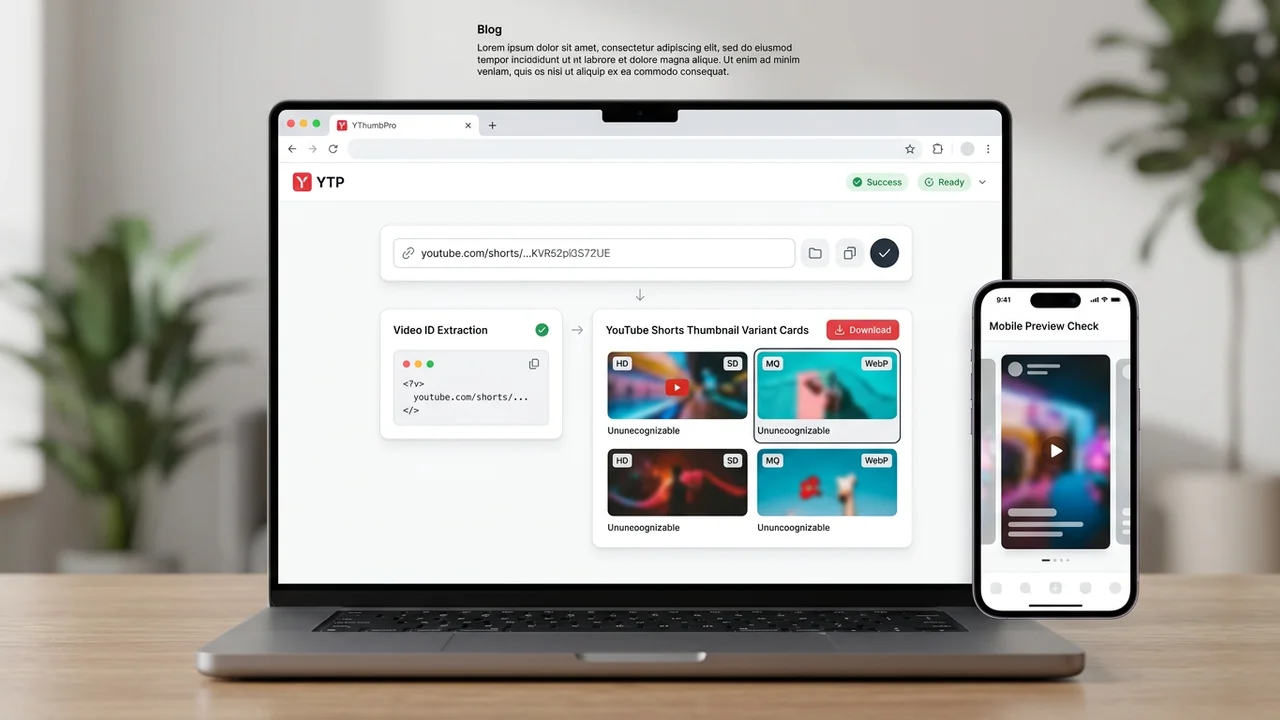
Direct answer
A youtube shorts thumbnail download works by extracting the 11-character video ID behind the Shorts URL, then checking the same public thumbnail variants used by standard YouTube videos. YThumbPro accepts Shorts links, mobile share links, standard watch URLs, and raw video IDs, then shows the best public thumbnail YouTube exposes.
Key takeaways
- Shorts URLs still map to a normal YouTube video ID, so the lookup should start with that ID.
- Check maxresdefault first, then fall back to SD, HQ, or MQ when the largest public variant is missing.
- Shorts thumbnails are useful for research, briefs, and mobile-first analysis, but availability varies by video.
- Move from download to AI review when the Shorts thumbnail affects search, channel, share, or refresh decisions.
Published: 2026-06-20 Last updated: 2026-06-20 Author: jackyi Reviewed by: YThumbPro editorial review
AI-assisted writing disclosure: this article was drafted with AI assistance and reviewed for accuracy, originality, and YThumbPro product fit by the YThumbPro editorial team.
youtube shorts thumbnail download is a slightly different job from a normal video thumbnail download because the link often starts from a vertical Shorts surface. The practical workflow is still straightforward: extract the video ID, check the public image variants, save the cleanest available file, and review whether it fits the mobile-first Shorts context.
A youtube shorts thumbnail download works by extracting the 11-character video ID behind the Shorts URL, then checking the same public thumbnail variants used by standard YouTube videos. YThumbPro accepts Shorts links, mobile share links, standard watch URLs, and raw video IDs, then shows the best public thumbnail YouTube exposes.
YouTube Shorts Thumbnail Download: What Works
Shorts links look different, but they still point to a video ID. That ID is the useful part for thumbnail lookup because public YouTube thumbnail variants are built around the video ID, not the visible page layout.
In practice, I treat Shorts links as a resolver problem first. A good downloader should accept the URL a creator actually has, whether it is a desktop Shorts path, a mobile share link, a standard watch URL, or only the 11-character ID. The user should not need to manually rewrite the link.
YThumbPro keeps this workflow intentionally simple. Paste the Shorts URL, let the tool extract the ID, then compare the available thumbnail variants. If a large image is missing, the result should say that clearly instead of pretending every Shorts thumbnail exists in HD.
Download YouTube Shorts Thumbnail in 5 Steps
Use this workflow when you need a clean public thumbnail for a Shorts brief, channel audit, search result check, or mobile research board:
- Copy the Shorts URL from YouTube, the mobile app share menu, or the browser address bar.
- Open the YouTube Shorts Thumbnail Downloader or start from YThumbPro.
- Paste the URL and let the downloader extract the underlying video ID.
- Check the largest working public variant first, then compare fallback sizes.
- Save the file and record the source URL beside your research note.
That last step matters. A Shorts thumbnail without context can be misleading because the same image may appear in search, channel grids, shares, or mobile surfaces differently. Keep the source URL, video title, topic, and date with the saved image.
Get YouTube Thumbnail Variants From a Shorts URL
To get youtube thumbnail variants from a Shorts URL, start with maxresdefault and then move down only when YouTube does not expose it. Shorts availability is inconsistent, so the best workflow is a transparent check rather than a fixed quality promise.
| Variant | Typical role | Best use | Shorts caveat |
|---|---|---|---|
| maxresdefault | Largest common public 16:9 image | Audits, briefs, and article visuals | Not guaranteed for every Short |
| sddefault | Useful fallback | Source confirmation and compact reviews | May be softer than a creator export |
| hqdefault | Quick preview image | Research boards and fast comparisons | Too small for detail-heavy critique |
| mqdefault | Lightweight preview | Tiny references and mobile checks | Use only when larger variants fail |
Do not upscale a fallback and label it as HD. Upscaling can make an image wider and taller, but it cannot restore facial detail, text edges, or compression detail that the public file never contained.
Shorts Thumbnails Need Mobile-First Review
Shorts thumbnails often matter in places where the viewer is scanning fast: search, channel pages, subscriptions, shares, and profile grids. That means a saved image should be judged at small size before anyone treats it as a strong creative reference.
After downloading, shrink the thumbnail to a phone-sized preview and ask:
- Can the subject be understood in under two seconds?
- Does the image match the Shorts title or visible promise?
- Is the focal moment clear without tiny text?
- Is there enough contrast against a busy mobile feed?
- Would this frame make sense if the viewer has not seen the Short yet?
The YouTube Shorts thumbnail analyzer is useful when the saved image affects a refresh, packaging decision, or competitor research note. It focuses on mobile clarity, frame choice, text visibility, expectation match, and scroll-stopping focus.
Where Shorts Fit in the YThumbPro Cluster
The Shorts downloader page supports a specific transactional job: paste a Shorts URL and save the best available public image. The HD downloader handles the broader video workflow, while the thumbnail size FAQ explains maxresdefault, fallback variants, and aspect ratio.
For analysis, use the main thumbnail analyzer when the thumbnail belongs to a wider YouTube packaging workflow. Use the Shorts analyzer when the specific question is mobile-first: does this image explain the Short quickly enough on small screens?
This separation is important for search quality and for users. Someone looking for a Shorts thumbnail should not be forced through a generic article that ignores Shorts URLs. Someone comparing thumbnail quality should still have a path into the broader downloader and analyzer cluster.
Conclusion
A youtube shorts thumbnail download should extract the video ID from a Shorts URL, check the largest public variant, explain fallbacks honestly, and keep the mobile context visible. Save the clean public image first, then use analysis only when the thumbnail affects a real creator decision.
Ready to test a Shorts link? Try the Shorts thumbnail downloader, compare the HD workflow, or run a Shorts thumbnail analysis when performance matters.
Frequently Asked Questions
Q: Can I download a YouTube Shorts thumbnail?
Yes. Paste the Shorts URL into YThumbPro and it extracts the video ID behind the link, then checks the public thumbnail variants YouTube exposes for that video.
Q: Are YouTube Shorts thumbnails always HD?
No. Some Shorts expose a large public thumbnail, while others only provide smaller fallback variants. Check the largest available image first, then record the actual saved size.
Q: Can I download Shorts thumbnails on mobile?
Yes. Copy the Shorts share link from the YouTube app, open YThumbPro in your mobile browser, paste the link, and save the available image variant.
Q: Can I analyze a Shorts thumbnail after downloading it?
Yes. Use the YouTube Shorts thumbnail analyzer or the main thumbnail analyzer when you need mobile clarity, frame choice, contrast, and expectation-match feedback.
About the Author
jackyi is a YouTube growth and thumbnail optimization practitioner focused on practical creator workflows. YThumbPro articles are written with AI assistance, edited for originality, and reviewed against product behavior before publication.
Next action
Use this guide on a real YouTube thumbnail
Paste a video URL, download the available thumbnail sizes, then decide whether the image needs a deeper AI readiness review.
Step-by-step guide
- 1
Copy the Shorts URL
Use the Shorts share link, browser URL, mobile link, or raw 11-character video ID.
- 2
Paste it into YThumbPro
The downloader extracts the underlying video ID and checks public thumbnail variants.
- 3
Start with the largest variant
Try maxresdefault first, then compare SD, HQ, or MQ if the largest image is unavailable.
- 4
Save the clean public image
Download the best available file without adding a tool watermark or fake upscale label.
- 5
Review the mobile context
Check whether the image works for Shorts search, channel grids, shares, and analysis workflows.
Frequently asked questions
Can I download a YouTube Shorts thumbnail?
Yes. Paste the Shorts URL into YThumbPro and it extracts the video ID behind the link, then checks the public thumbnail variants YouTube exposes for that video.
Are YouTube Shorts thumbnails always HD?
No. Some Shorts expose a large public thumbnail, while others only provide smaller fallback variants. Check the largest available image first, then record the actual saved size.
Can I download Shorts thumbnails on mobile?
Yes. Copy the Shorts share link from the YouTube app, open YThumbPro in your mobile browser, paste the link, and save the available image variant.
Can I analyze a Shorts thumbnail after downloading it?
Yes. Use the YouTube Shorts thumbnail analyzer or the main thumbnail analyzer when you need mobile clarity, frame choice, contrast, and expectation-match feedback.