How to Use a Competitor Thumbnail Analysis Tool
A practical workflow for using competitor thumbnail analysis tools to study public patterns, write original briefs, and improve your own thumbnails.
Direct answer
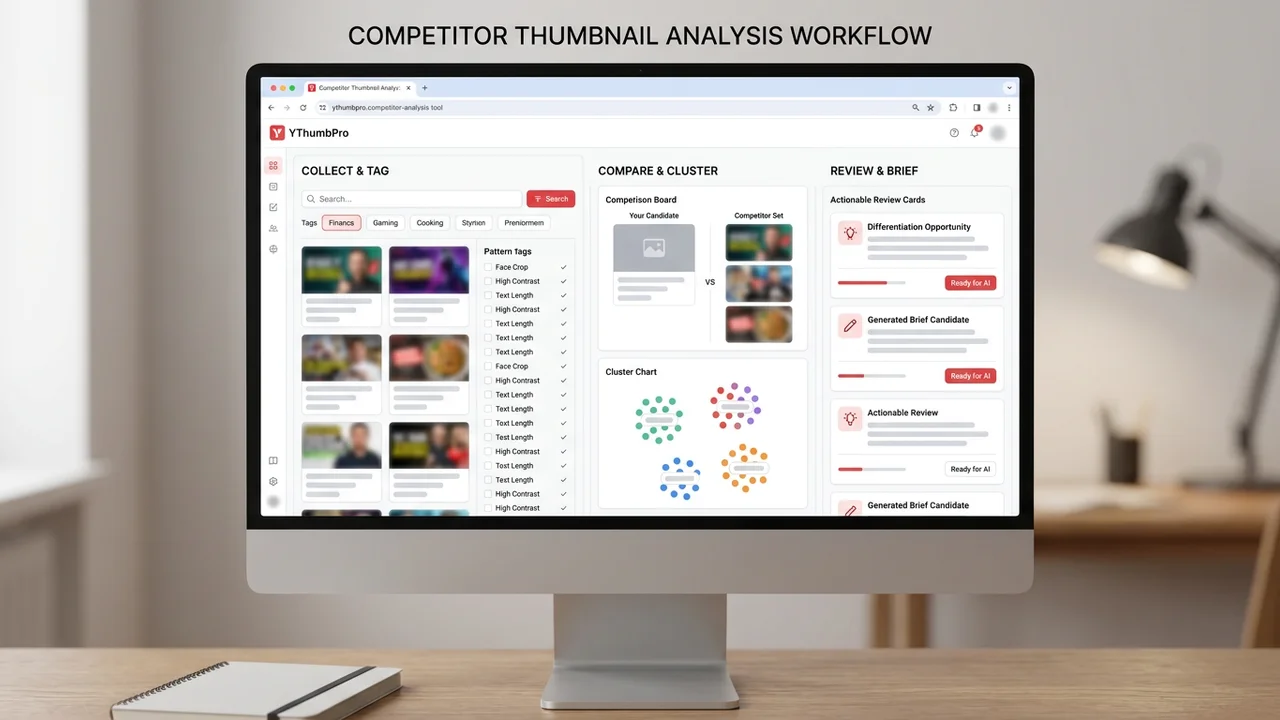
A competitor thumbnail analysis tool helps you collect public examples, tag visible patterns, compare them against your own thumbnail, and turn the findings into an original creative brief. The goal is to learn category expectations and differentiation opportunities, not to copy another creator's design.
Key takeaways
- Competitor analysis should start with a focused topic set.
- Tag patterns before drawing conclusions about what works.
- The final output should be an original thumbnail brief and a candidate ready for AI review.
Competitor tool workflow
| Stage | What to do | Useful output |
|---|---|---|
| Collect | Save five to ten public thumbnails | Focused research board |
| Tag | Mark text, subject, color, emotion, and promise | Pattern inventory |
| Compare | Place examples beside your own candidate | Gap and differentiation notes |
| Create | Design an original candidate | Thumbnail ready for analysis |
Choose competitors by viewer job
A useful competitor set is not just channels you admire. It is a group of videos competing for the same viewer job: the same topic, problem, niche, or emotional promise.
This keeps the analysis specific. A finance explainer thumbnail, a gaming challenge thumbnail, and a cooking recipe thumbnail may all use contrast, but they use it for different viewer expectations.
Tag visible patterns before judging quality
Tag what you can actually see: face crop, product size, text length, background density, color contrast, proof element, emotional cue, and title-thumbnail promise.
Do this before deciding which thumbnails are good. Pattern tagging creates evidence. Without it, competitor research easily becomes a taste debate or a copy exercise.
Compare competitors against your own candidate
Place your thumbnail next to the research board and ask direct questions. Is your subject easier to understand? Is your promise clearer? Are you matching a category convention that viewers expect? Are you different in a way that still makes sense?
The best competitor tool workflow produces a short list of decisions. It should not produce a cloned layout. Originality matters because viewers remember channels, not just isolated design tricks.
Use AI analysis after the brief
After the research board becomes an original candidate, run AI readiness review on your own image. That is where YThumbPro can check whether the new direction is readable, focused, and aligned with the video promise.
If the analysis finds a weak signal, revise the candidate before publishing or before spending time on a live A/B test. Competitor research gives direction; analysis turns that direction into a cleaner thumbnail.
Next action
Turn this research into a repeatable thumbnail workflow
When thumbnail review becomes part of your publishing routine, compare the plan that matches saved history, repeated analysis, and testing needs.
Step-by-step guide
- 1
Pick a comparable topic set
Choose videos competing for the same viewer job, not random viral examples.
- 2
Save public thumbnails
Collect a small board of public examples with source URLs and topic notes.
- 3
Tag the visible signals
Record text length, subject, contrast, emotion, proof, and promise patterns.
- 4
Write the original brief
Decide what to match, what to avoid, and where your thumbnail will differ.
- 5
Analyze your candidate
Use YThumbPro on your original thumbnail before publishing or testing.
Frequently asked questions
Is a thumbnail spy tool the same as competitor analysis?
It can be part of competitor analysis, but the useful workflow goes beyond saving examples. You need tagging, comparison, differentiation, and original creation.
How many competitor thumbnails should I analyze?
Start with five to ten comparable videos. More can help later, but a focused small set is easier to turn into decisions.
Can I copy a competitor thumbnail if it works?
No. Learn the pattern, then create original visuals, wording, and composition for your own channel.